Apple Unleashes Major Final Cut Camera Update for iPhone 18 Pro With Variable Aperture Support and Professional Monitoring Tools

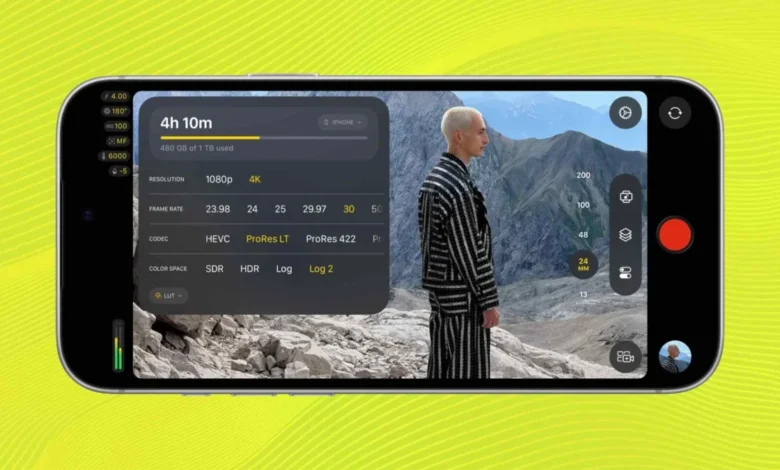
Apple has officially released version 2.4 of Final Cut Camera, a substantial software update designed to bridge the gap between consumer smartphones and Hollywood-grade cinematography equipment. Tailored specifically to harness the cutting-edge hardware of the newly launched iPhone 18 Pro and iPhone 18 Pro Max models, the latest iteration of the professional-grade recording application introduces native support for a groundbreaking variable lens system, a completely redesigned user interface, and an array of broadcast-standard monitoring tools.
While Apple’s native iOS Camera application remains a premier choice for casual creators, offering reliable features like standard HDR and SDR recording, basic slow-motion options, and Cinematic mode, it has historically fallen short of the granular, manual demands of professional videographers. Final Cut Camera was originally conceived to solve this exact problem, centralizing complex cinematic settings into an intuitive interface. With version 2.4, Apple is doubling down on its commitment to mobile filmmaking, transforming its flagship smartphone line into an increasingly viable primary or secondary camera for independent filmmakers, journalists, and broadcast professionals.
Unpacking Final Cut Camera and Its Evolution
To understand the weight of the version 2.4 release, it is necessary to examine the trajectory of Apple’s professional software ecosystem on mobile devices. Historically, achieving manual control over shutter speed, white balance, ISO, and audio monitoring on an iPhone required downloading third-party applications such as FiLMiC Pro or Blackmagic Camera. While these tools proved exceptionally capable, they operated outside of Apple’s tightly integrated hardware-software loop.
Apple disrupted this landscape by introducing Final Cut Camera, an application built from the ground up to give creators absolute command over their mobile optics. The app immediately set itself apart by offering precise exposure controls, frame rate adjustments, selectable color profiles, and advanced encoding formats. Furthermore, it pioneered multicam workflows, allowing directors to seamlessly synchronize and control multiple iPhones remotely from a single master device running Final Cut Pro on an iPad or Mac.
The introduction of version 2.4 represents the most significant feature expansion since the app’s inception, aligning software capabilities directly with the advanced physical architecture of the iPhone 18 Pro series.
What is New in Final Cut Camera Version 2.4
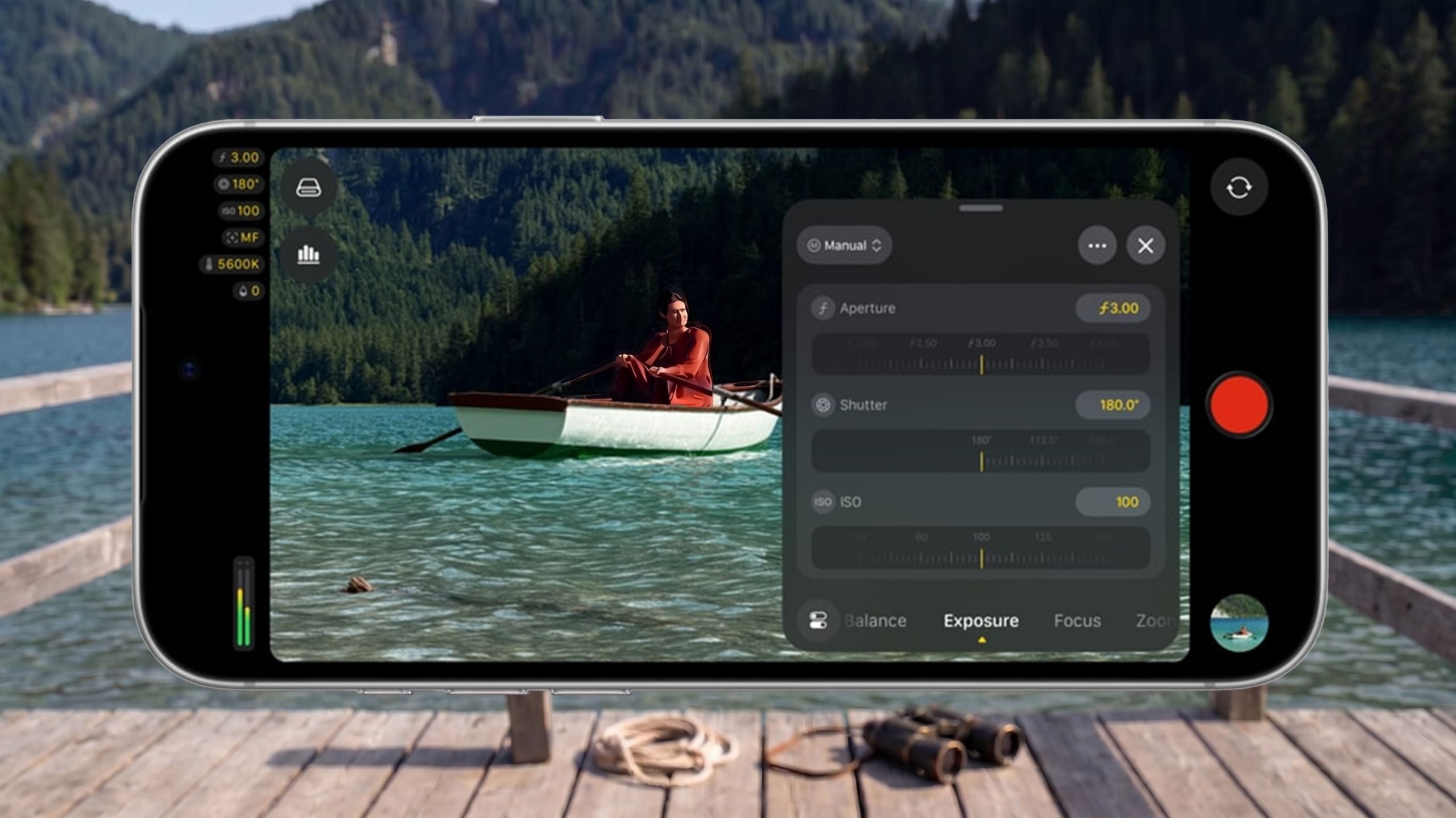
The headline feature of the latest update is its seamless integration with the iPhone 18 Pro and iPhone 18 Pro Max’s new variable aperture lens. For the first time in smartphone history, mobile videographers can physically or digitally dial in exact aperture settings, shifting depth of field on the fly rather than relying purely on computational blur. The update introduces dedicated shutter-priority and aperture-priority exposure modes, giving traditional camera operators the familiar tactile feedback and creative control they expect from mirrorless and cinema rigs.
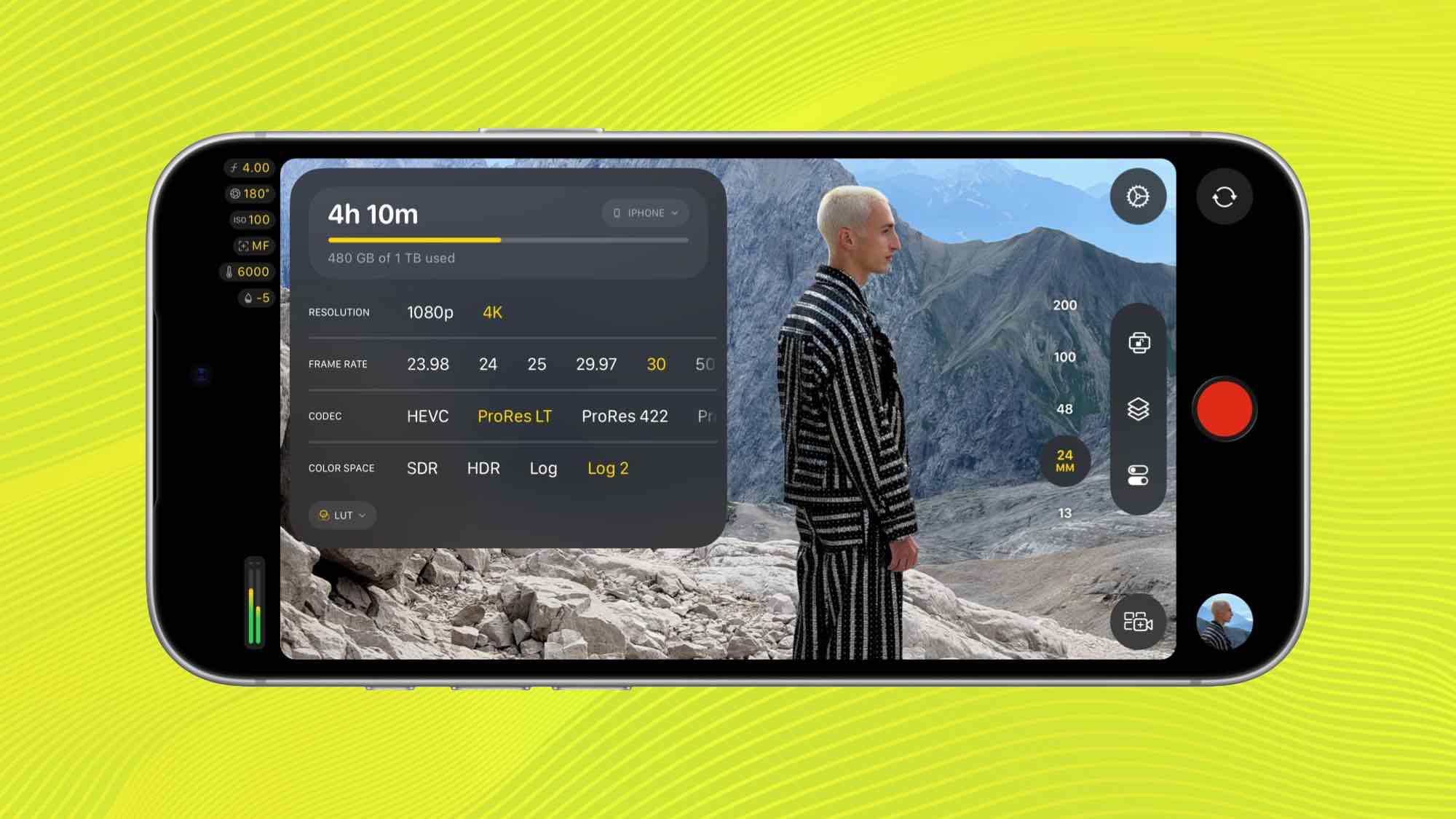
Beyond optical upgrades, version 2.4 overhauls the user interface. The redesigned overlay system provides frictionless access to core parameters such as shutter angle, ISO ratings, and white balance settings without cluttering the viewfinder. To streamline production on busy sets, Apple has added a functional tally light indicator that clearly signals to on-camera talent when recording is actively underway. Additionally, a new two-finger tap gesture instantly clears all interface elements from the screen, offering directors a completely unobstructed view of the frame.
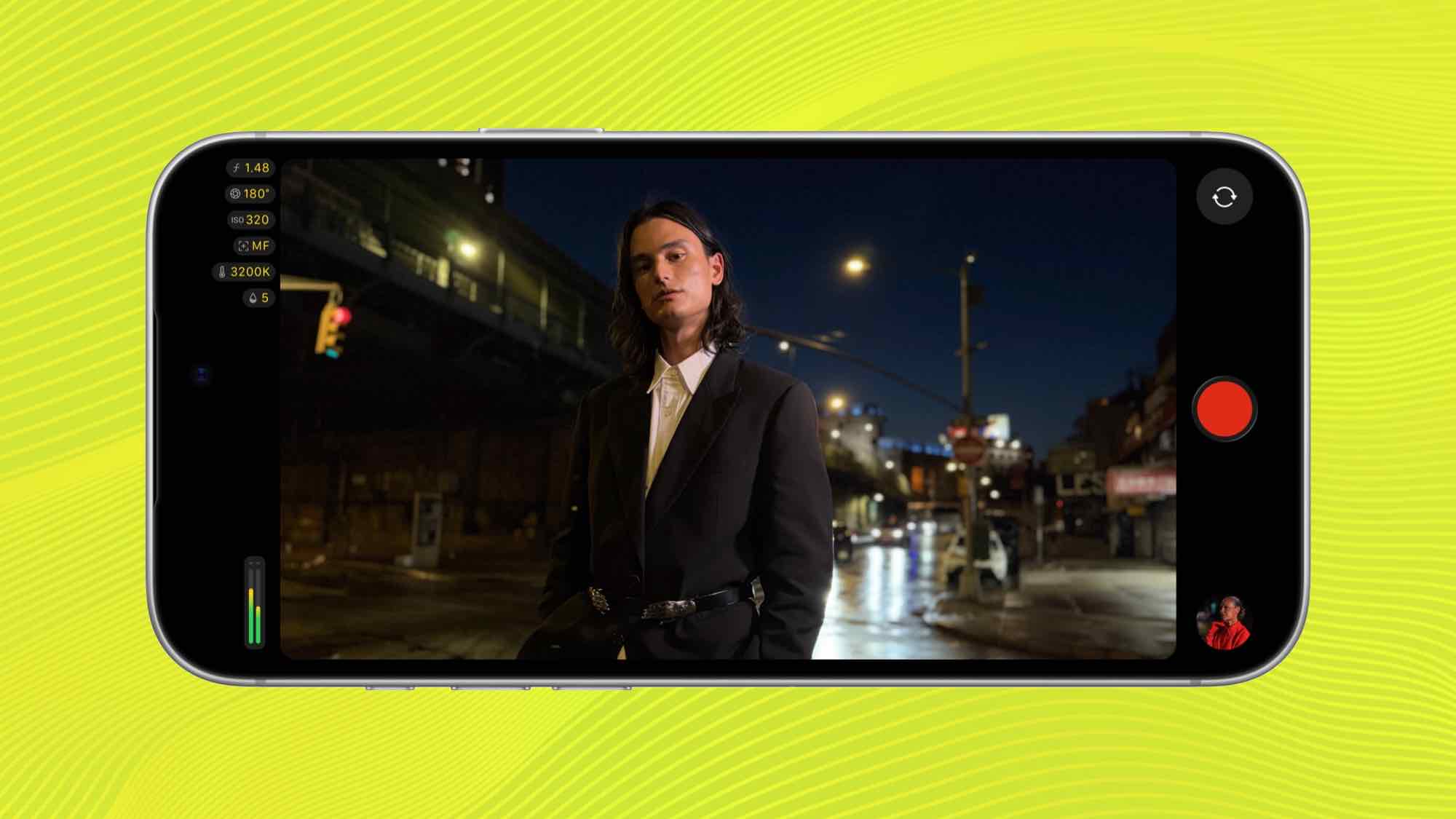
Post-production workflows have also received a massive boost. Version 2.4 extends Cinematic mode effects to high-end professional codecs, including footage captured in Apple ProRes and Apple Log. Creators can now record in maximum fidelity and subsequently adjust focus points, rack focus timing, and depth of field parameters natively while editing inside Final Cut Pro.
Advanced Studio Integration: iOS 27 and Professional Standards
For high-end broadcast and studio environments, version 2.4—running in tandem with iOS 27—introduces capabilities previously restricted to dedicated studio cameras. The application now supports professional video scopes (including waveform, vectorscope, and histogram overlays), clean SDI video output for external monitoring or ingestion, and genlock offset synchronization for multi-camera broadcast environments where frame-accurate timing is mandatory.
These additions underscore Apple’s systematic strategy to infiltrate traditional video production pipelines. By incorporating genlock and clean SDI output, Apple is positioning the iPhone 18 Pro not just as a tool for content creators, but as a legitimate drop-in replacement for traditional studio cameras in multi-camera live productions, corporate events, and indie film sets.
Industry Implications and Market Impact
The release of Final Cut Camera 2.4 arrives at a critical juncture in the digital content creation market. As smartphone sensor technology matures, the bottleneck for mobile video has shifted entirely from hardware capture quality to software control and workflow integration.
By tying proprietary software features exclusively to its Pro-tier hardware—specifically the iPhone 18 Pro and Pro Max—Apple is creating a formidable hardware-software ecosystem moat. Independent filmmakers and mobile journalists are increasingly evaluating smartphones based on their ability to ingest log footage, output clean monitoring signals, and sync effortlessly with desktop editing suites.
Competitors in the Android ecosystem, such as Samsung and Sony, have long offered robust manual pro video modes, but none possess a vertically integrated post-production suite comparable to the synergy between Final Cut Camera and Final Cut Pro. This end-to-end control drastically reduces friction in the editing bay, saving hours of transcoding and metadata alignment.
Fact-Based Analysis of Implementation and Availability
Final Cut Camera 2.4 is available as a free download on the App Store for compatible devices running iOS 27 or later. While core functionality remains accessible across a range of recent iPhone models, advanced capabilities—most notably variable aperture control, extensive Apple Log ProRes Cinematic grading, and pro-level SDI routing—require the hardware architecture found exclusively within the iPhone 18 Pro and iPhone 18 Pro Max.
As professional creators increasingly adopt mobile devices as primary capture tools for documentaries, music videos, and commercial shoots, updates like Final Cut Camera 2.4 signal a permanent shift in the economics of video production. What once required thousands of dollars in dedicated cinema gear can now be orchestrated from a device that fits comfortably in a pocket, cementing Apple’s aggressive push into the professional broadcast market.