Mux Unveils Major Overhaul of React Native Video Player Bringing Interactive Streaming Features to Apple TV and Google TV

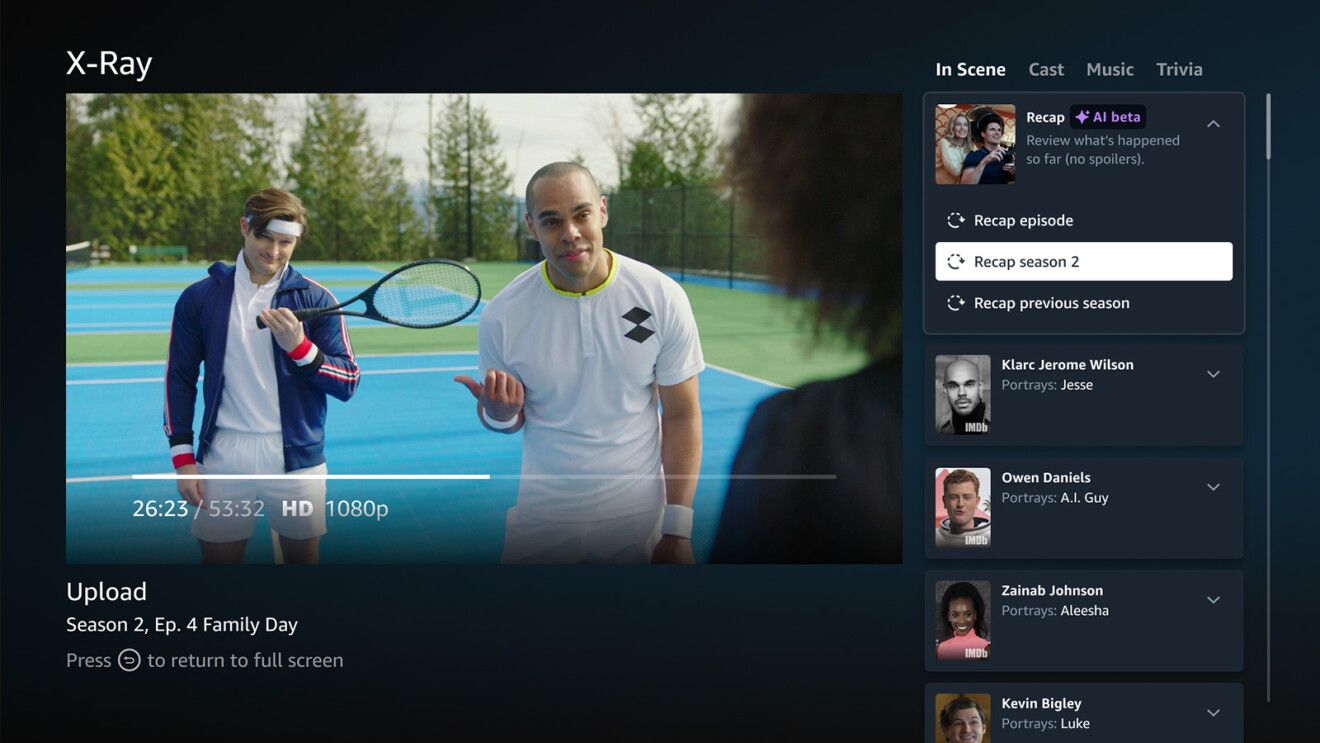
The modern digital streaming landscape has conditioned audiences to expect deeply integrated, interactive viewing experiences. When streaming video content, viewers increasingly demand the ability to dive deeper into what they are watching—exploring actor filmographies, reading dynamic summaries, jumping between intelligent chapters, or searching transcripts—without ever minimizing the player or disrupting their immersion. Pioneered heavily by mainstream platforms like Amazon Prime Video through features such as X-Ray, this level of contextual interactivity has historically been proprietary, expensive, and notoriously difficult for independent developers, boutique streaming services, and enterprise application builders to replicate.
Addressing this technological gap, video infrastructure provider Mux has officially announced a major redesign and capability expansion of its open-source Mux React Native Player for iOS, Android, and television operating systems. By deeply integrating Mux Robots—the platform’s automated video intelligence and metadata generation pipelines—into the core architecture of the player, developers can now seamlessly deliver desktop-grade, interactive streaming applications to Apple TV and Google TV devices using shared TypeScript codebases. This update aims to democratize advanced video engagement features, leveling the playing field for application developers who lack the massive engineering budgets of top-tier streaming conglomerates.
Background Context and the Evolution of Cross-Platform Video
The challenge of building high-performance video players for connected televisions has long plagued software development teams. Historically, mobile applications and smart TV applications required entirely separate codebases, native UI implementations, and specialized playback logic. This fragmentation often resulted in inconsistent user experiences, delayed feature rollouts, and exorbitant maintenance costs.
The advent of frameworks like React Native revolutionized mobile and desktop application development by allowing engineers to write a single codebase using JavaScript and TypeScript that compiles down to native components. However, bringing complex video streaming interfaces—complete with custom overlays, timeline scrubbing, transcript browsing, and remote-control navigation—to React Native presented severe architectural hurdles. Video players demand low-level hardware acceleration, precise gesture handling, and responsive state management. When adapting these players for television environments, developers face an entirely different set of usability constraints. Unlike touchscreens, where users can directly tap desired interface elements, television interfaces rely strictly on directional pads, focus states, and spatial navigation via physical remote controls.
Recognizing these friction points, Mux engineers undertook a comprehensive redesign of the Mux React Native Player. Collaborating closely with the company’s Brand Design division, the engineering team set out to overhaul the user interface, optimizing it simultaneously for touch-based mobile screens and remote-driven television displays. The team utilized internal testing environments, including big-screen setups at Mux headquarters, to iteratively refine focus indicators, button sizes, overlay transitions, and menu hierarchies in real time.
Architectural Innovations: Built for the Remote and Powered by Robots
The centerpiece of the recent Mux React Native Player update is its tailored approach to cross-platform usability. The updated player dynamically adapts its interaction model depending on the host platform. On mobile devices, gestures remain touch-centric and fluid. On television operating systems like Apple TV and Google TV, the interface shifts to a robust, focus-driven system explicitly designed for remote controls.
Key usability enhancements introduced in the redesign include:
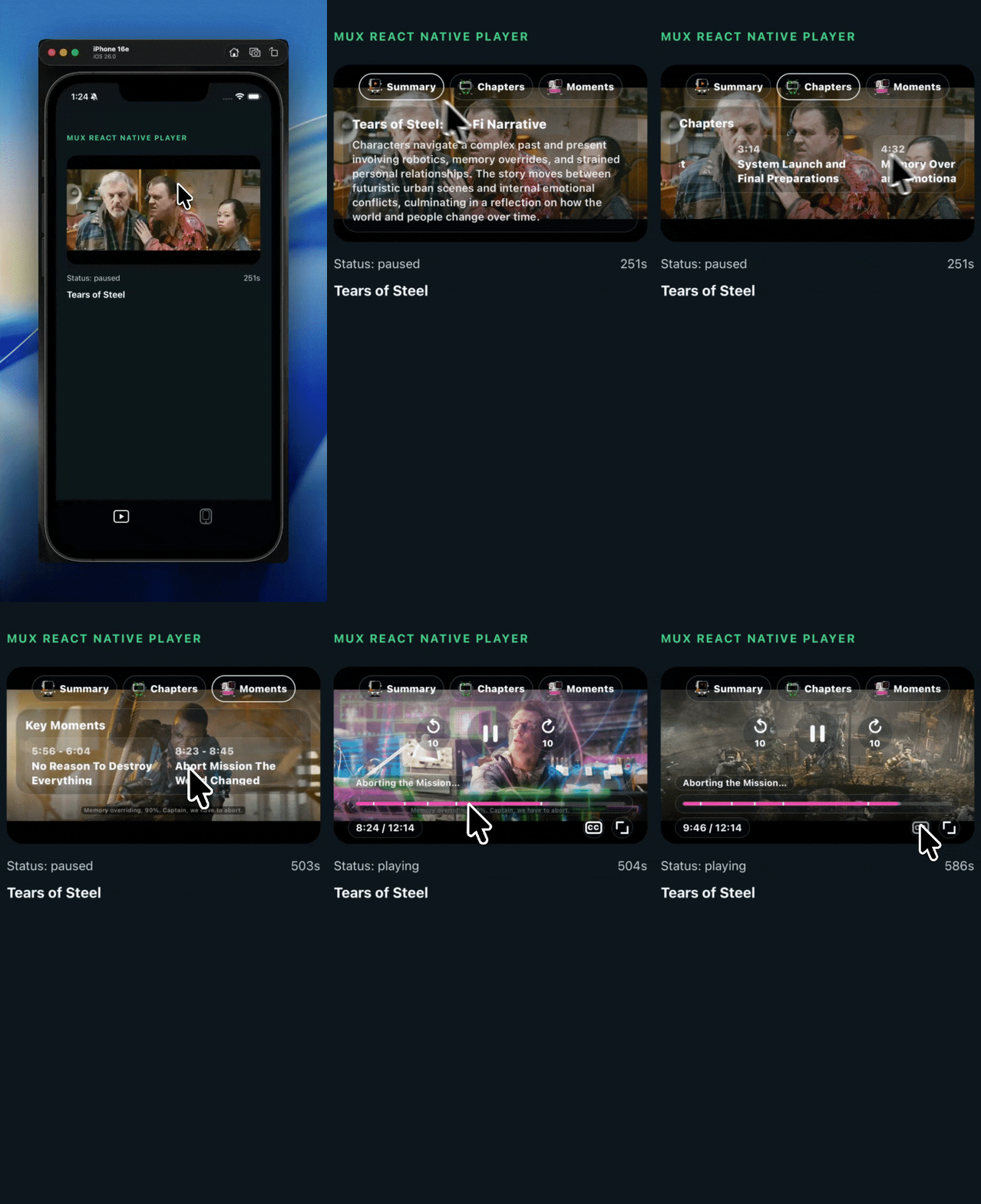
- Intelligent Chapter Navigation: Viewers can access an interactive chapters menu using the remote’s directional arrows. Selecting a specific chapter instantly repositions the playback head, closes the menu overlay, and seamlessly returns focus to the primary chapters control button. This eliminates the tedious process of manual scrubbing across lengthy video assets.
- Dialogue and Transcript Interactivity: The player introduces a transcript-browsing feature that allows viewers to scan spoken dialogue lines within the user interface. Selecting any specific line of text commands the player to jump directly to that exact timestamp in the video stream.
- Modular Control Overlays: A redesigned settings menu enables users to toggle specific Mux Robots features on or off, ensuring that the viewing interface remains uncluttered and focused strictly on the user’s current preferences.
Beneath the user interface lies the integration of Mux Robots, a suite of automated machine-learning and artificial intelligence workflows designed to parse video files upon upload. Mux Robots automates the heavy lifting of video metadata generation, handling tasks such as speech-to-text transcription, translation, chapter detection, content summarization, and key moment extraction.
Developers can connect these automated insights to the Mux React Native Player using two primary architectural paradigms:
- Pre-Generated Results: Developers can execute Mux Robots workflows immediately following video upload and pass the generated data directly into the player via the designated
robotscomponent property. For video chapters, developers can configure theupdate_asset_chaptersparameter to write the chapter track directly to the Mux asset. This eliminates the requirement to store separate chapter metadata in an external database or Content Management System (CMS), though developers retain the flexibility to do so for custom curation or reuse beyond the standard 30-day job retention window. - On-Demand Requests: For dynamic workflows, developers can implement callback functions such as
onGenerateChapters. When a viewer requests a specific feature, the player queries the application’s backend server. The backend can instantly return cached results or initiate a fresh Mux Robots job using the unique video asset ID. Once the job completes—managed via asynchronous webhooks or polling—the processed data is delivered back to the client player.
Implementation and Developer Accessibility
To lower the barrier to entry, Mux has published the updated player as an open-source package via npm (@mux/mux-react-native-player), accompanied by comprehensive getting-started guides and documentation repositories on GitHub.
Because the package relies on native video rendering modules, standard environments like Expo Go cannot load the native player directly. Instead, developers targeting Apple TV or Google TV utilize specialized configuration plugins and follow dedicated multi-platform setup instructions, leveraging frameworks such as react-native-tvos to compile native development clients.
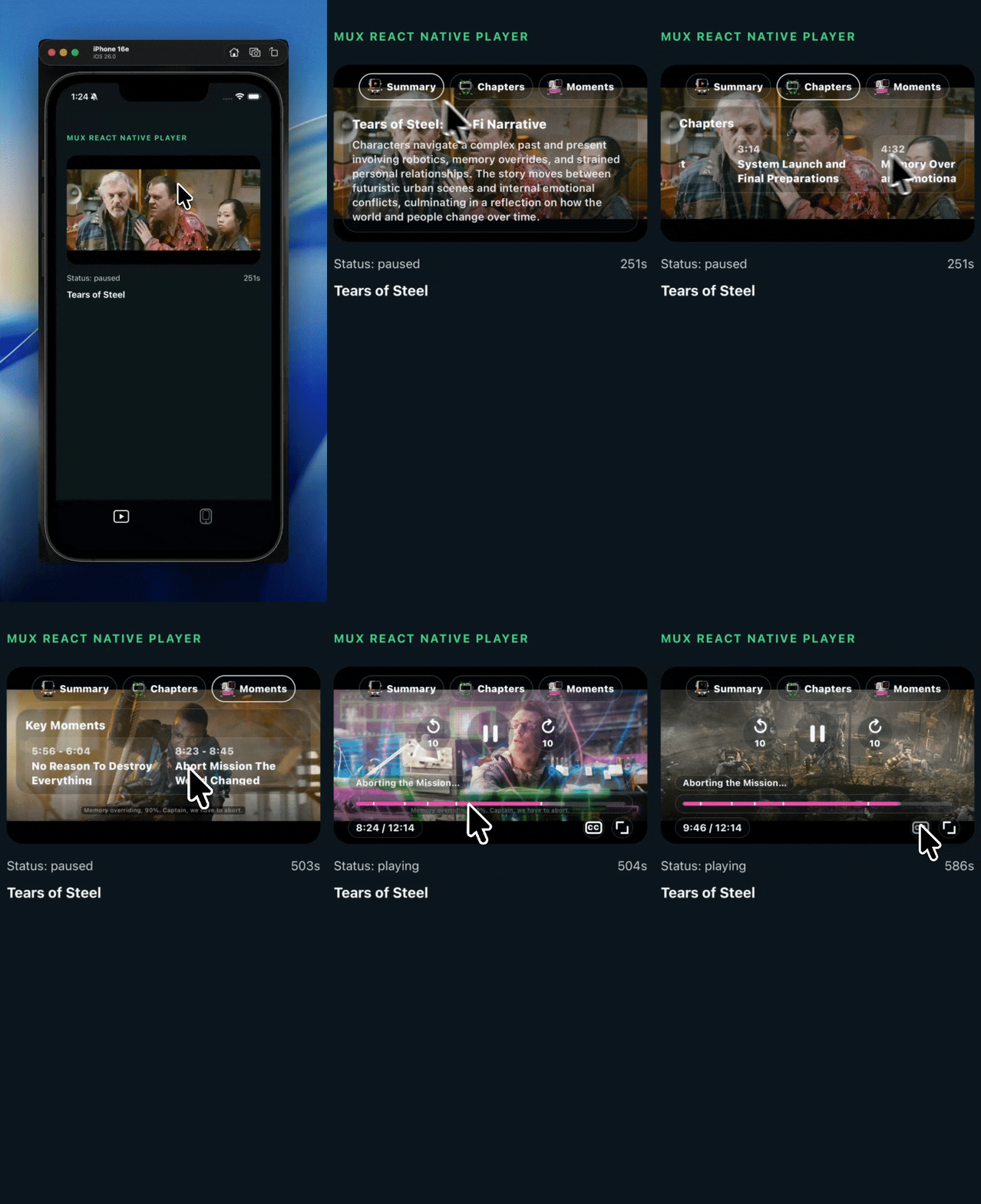
Implementing the player requires minimal boilerplate code. By passing playback identifiers and structured JSON objects for features like chapters into the <MuxVideoView> component, developers can instantiate fully functional, interactive video players within minutes. For instance, supplying static chapter arrays allows developers to test interactive chapter overlays locally without triggering external API calls, while production applications map asynchronous backend responses directly to the player’s runtime properties.
Industry Implications and the Future of Video Infrastructure
The release of the redesigned Mux React Native Player arrives at a critical juncture for the digital media industry. As production costs rise and consumer attention spans fragment, media companies, enterprise training platforms, fitness applications, and independent content creators are searching for cost-effective ways to enhance viewer retention. Interactive video elements have consistently proven to increase engagement metrics, reduce bounce rates, and improve content accessibility through automated closed captioning and multi-language translation.
Historically, implementing these features required assembling disparate third-party transcription services, custom database schemas, and proprietary player plugins—a complex and fragile engineering undertaking. By packaging automated video intelligence (Mux Robots) directly alongside a cross-platform, framework-native player (React Native), Mux is positioning itself as an end-to-end infrastructure layer for modern video applications.
Furthermore, the open-source nature of the project encourages community-driven collaboration. As broader industry initiatives—such as the Video.js team’s ongoing efforts to introduce native React Native support—continue to evolve, tools like the Mux React Native Player provide an immediate, production-ready bridge for developers seeking to deploy cutting-edge video experiences across mobile and television ecosystems today.
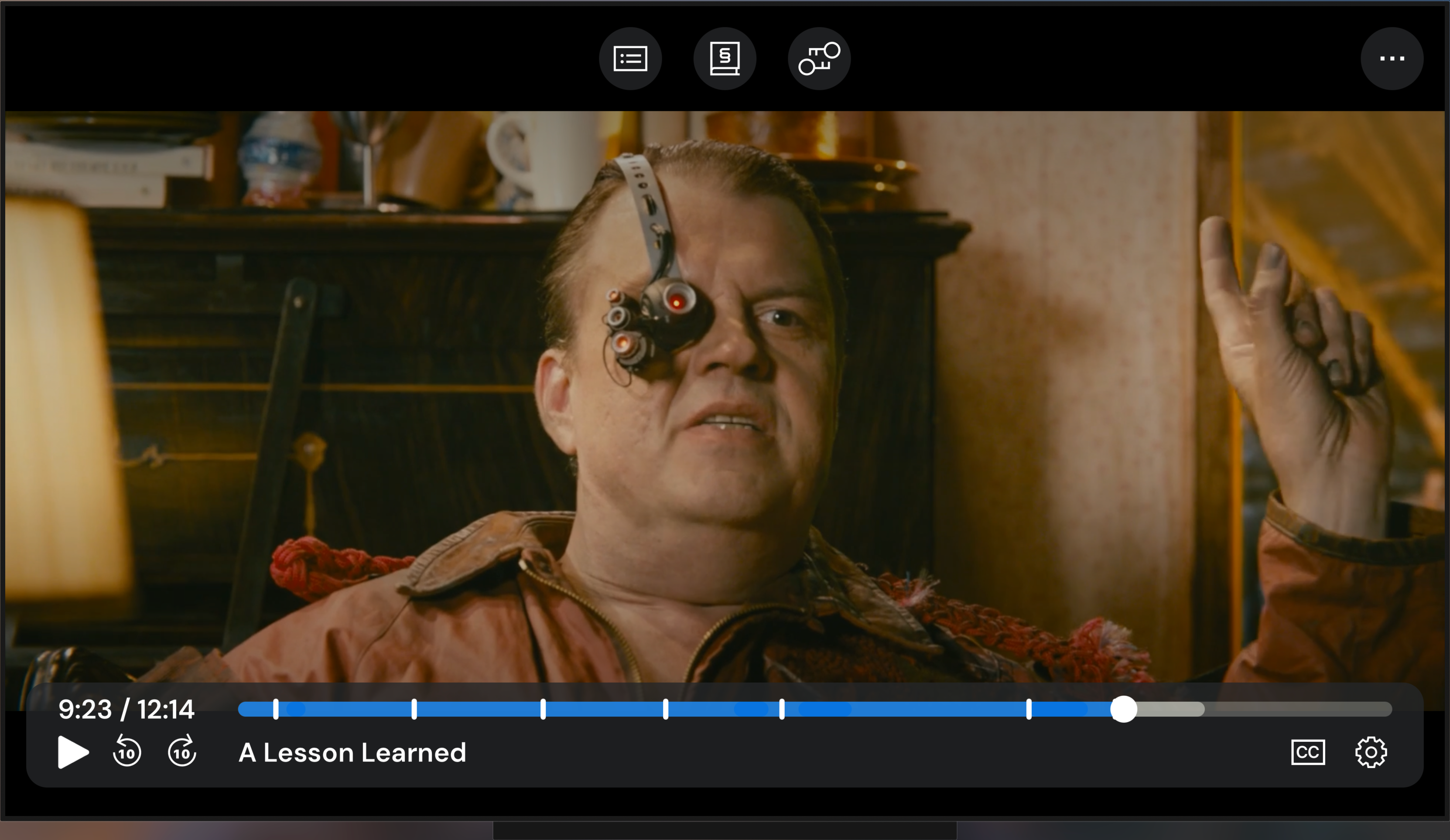
Industry analysts note that as artificial intelligence and automated metadata generation become standard table stakes for video streaming, developer tooling will increasingly focus on abstraction and ease of integration. By abstracting the complexities of remote-control focus management, timeline scrubbing, and AI-driven video parsing into a unified TypeScript interface, Mux has significantly lowered the technical threshold for building sophisticated, television-grade streaming applications.
Developers and engineering teams interested in evaluating the updated player can access the complete source code, documentation, and TV-specific configuration examples via the official Mux GitHub repository. As part of its developer-first acquisition strategy, Mux continues to offer its foundational infrastructure services with no upfront credit card requirement, allowing engineering teams to prototype and test advanced video workflows before committing to production scaling.