Bridging the Gap Between Video Intelligence and Post-Production: Introducing the Mux Robots Adobe Premiere Pro Plugin

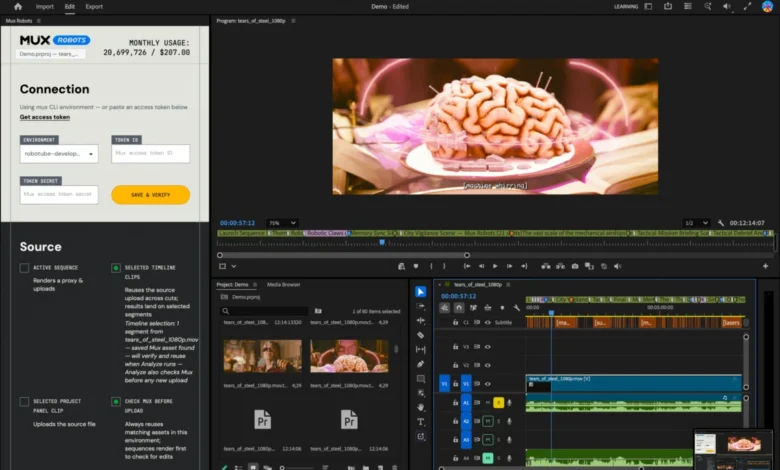
The landscape of professional video post-production is undergoing a profound transformation, driven largely by the convergence of cloud-based video intelligence and traditional timeline editing. In late July, video infrastructure platform Mux sponsored the live stream of the highly anticipated Laravel community dodgeball tournament at the Laracon conference. Following the event, the organizing team handed the raw recording over to their internal video editor, Tim, with a standard assignment: cut a compelling highlight reel that captures the energy and competitive spirit of the day. To streamline this labor-intensive process, the team utilized the Mux Robots Find Key Moments workflow to automatically isolate the most gripping plays in each game.
While automated workflows produce robust JSON data outputs that are invaluable for developers and web applications, they have historically offered little direct utility to professional video editors. Although the underlying data accurately identified key moments complete with precise timestamps, the editor was still forced to manually map and mark each identified segment onto the Adobe Premiere Pro timeline. Recognizing this persistent workflow friction, Mux engineers set out to close the gap between automated video analysis and human-driven post-production. The result of this endeavor is the newly launched Mux Robots plugin for Adobe Premiere Pro, a tool designed to seamlessly integrate automated chapter creation, key-moment tracking, translated audio tracks, and dynamic captions directly into the editor’s primary workspace.
The Mechanics of Automated Post-Production
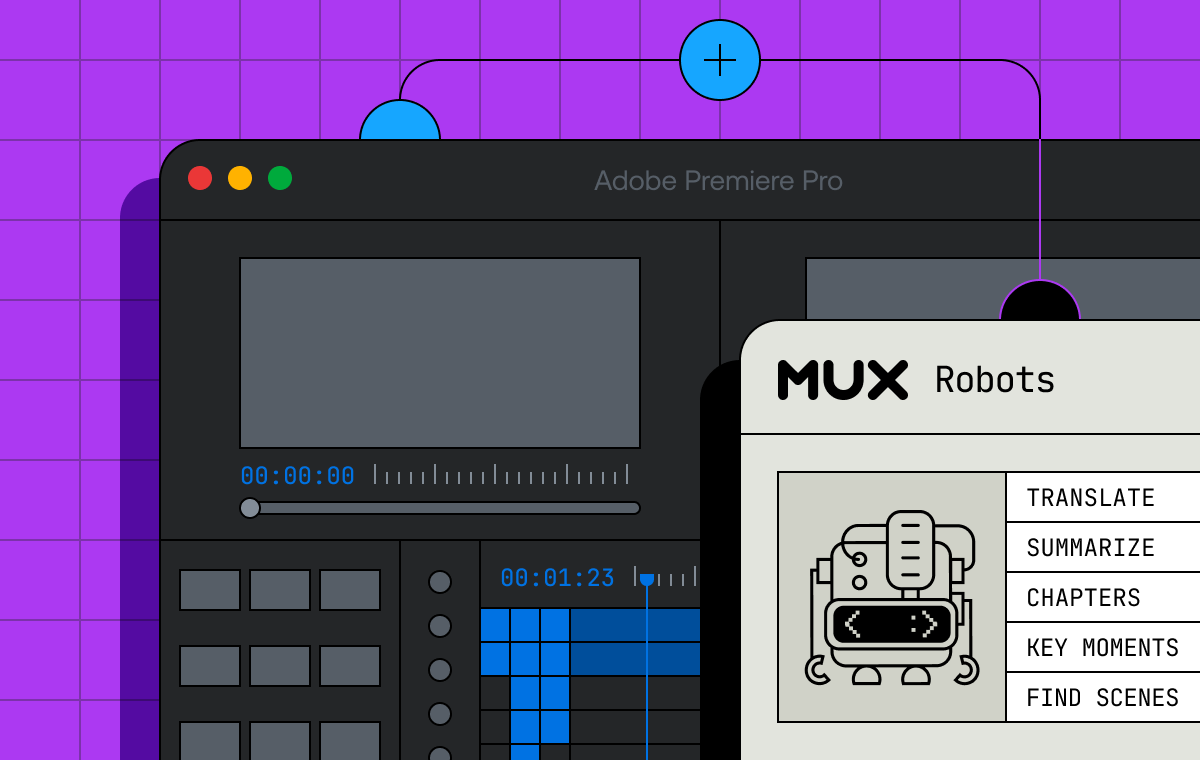
Professional video editors typically spend a disproportionate amount of their working hours engaged in repetitive, administrative tasks: scrubbing through raw footage to identify narrative turning points, editing and formatting closed captions, and localizing content for international audiences through targeted audio dubbing and translation. For many in the industry, Adobe Premiere Pro remains the digital audio-visual workstation of choice. Capitalizing on the robust developer ecosystem underpinning Adobe Creative Cloud applications, Mux sought to inject advanced video intelligence directly into this familiar environment.
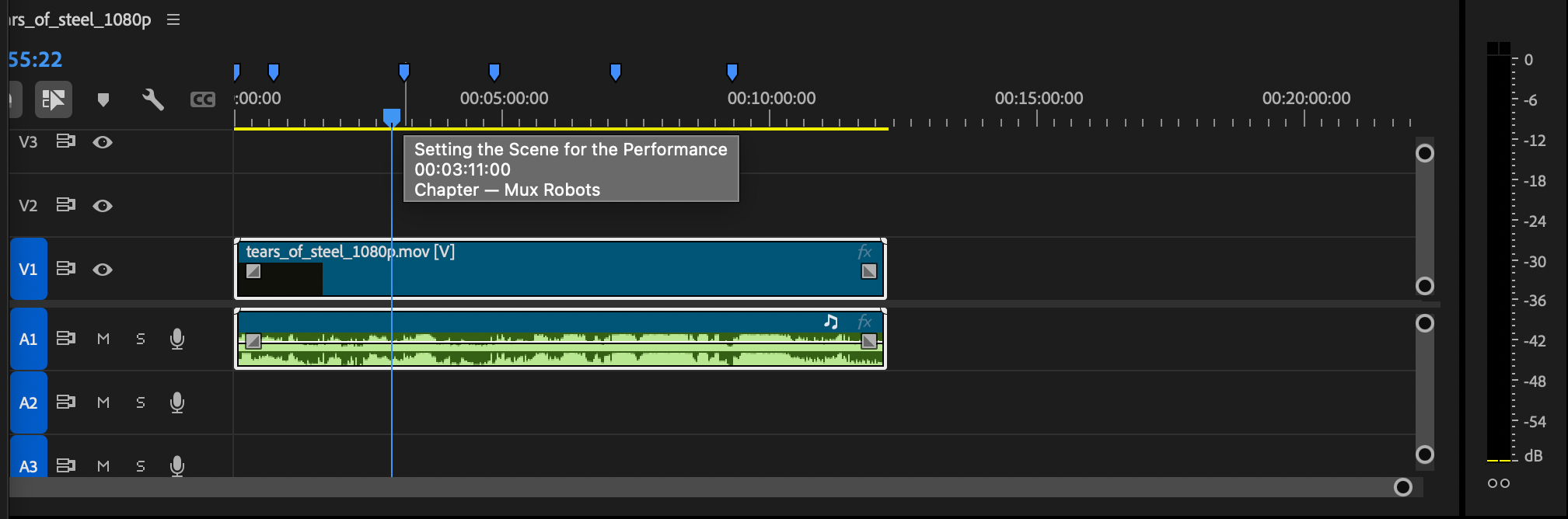
In professional editing, the timeline serves as the undisputed source of truth. Because editors maintain constant visual focus on this linear workspace, the structured output of a Mux Robots job naturally belongs there. To understand the utility of this integration, one can examine the mechanics of the Mux Robots Generate Chapters workflow. When executed via API, the system analyzes the source media and returns a structured JSON response containing the titles and start times of distinct thematic sections. For instance, an analytical breakdown video might yield chapters such as an Introduction to Mux Robots at timestamp zero, followed by subsequent segments introducing scene detection algorithms, workflow features, user feedback, customer success stories, and concluding best practices.
While this programmatic output is clean and structured, it requires translation to be useful inside a creative suite. With the new Mux Robots plugin installed, these programmatic boundaries dissolve. When a chapter generation job is executed through the panel, the plugin automatically translates the JSON data into native timeline markers. Blue markers populate the timeline at exact structural junctures, instantly segmenting the project without requiring manual data entry.
Similarly, running the Find Key Moments workflow populates the timeline with distinct purple markers. These markers highlight narrative peaks and high-action sequences—such as the standout athletic plays from the Laracon dodgeball tournament. Editors can apply custom parameters prior to execution to steer the automated detection algorithms toward specific editorial goals. Hovering over any marker instantly reveals granular details derived from the underlying job output, allowing the editor to evaluate the captured moment without leaving the timeline interface.
Leveraging Directives for Complex Workflows
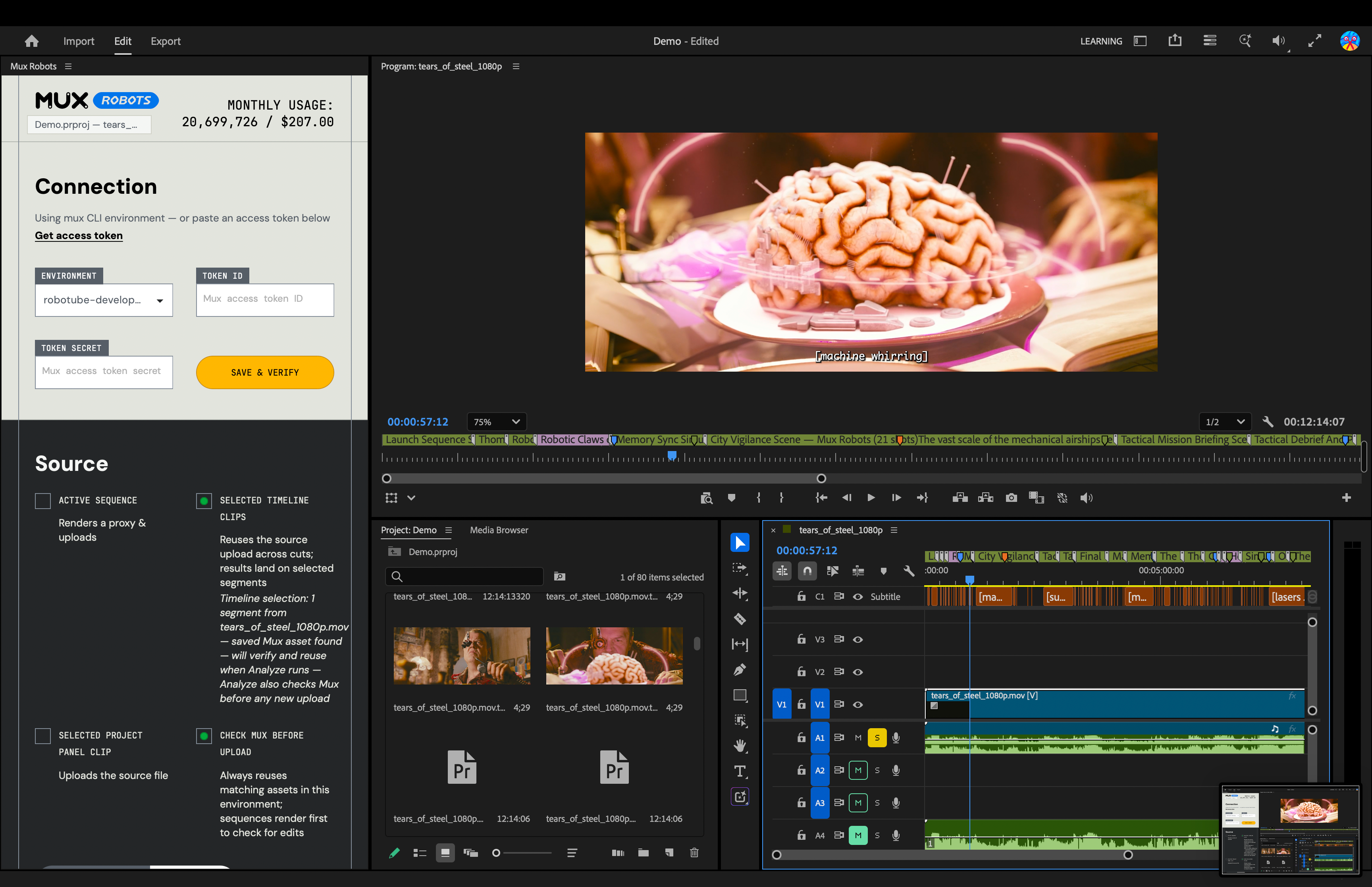
One of the most powerful architectural advantages of the Mux Robots plugin is its native support for Directives. In video engineering, complex tasks often rely on dependent sequences; for example, accurate chapter generation and key-moment detection frequently depend on the prior existence of a clean, verified caption track. Directives allow developers and editors to bundle multiple Mux Robots workflows into a single, cohesive API call, executing sequential operations seamlessly.
Rather than managing separate export and import cycles for transcription, translation, and analysis, an editor utilizing the plugin can select multiple services simultaneously—such as Generate Premium Captions, Find Key Moments, and Generate Chapters. The plugin automatically constructs a Directive that orchestrates these tasks in the correct logical order: generating the foundational caption track first, and subsequently utilizing that text data to drive the automated creation of chapters and key moments. This single-click orchestration drastically reduces the time required to prepare raw footage for deep editing.
Expanding Global Reach Through Automated Localization
Beyond structural organization and moment detection, the Mux Robots plugin addresses the increasingly urgent demand for localized content. Reaching a global audience traditionally requires engaging specialized translation agencies, commissioning expensive voice talent for audio dubbing, and manually synchronizing multi-language subtitle files within the editing suite.
The Mux Robots plugin brings automated audio dubbing and translation directly into the Adobe Premiere Pro environment. Editors can select their target languages directly within the plugin interface, prompting Mux Robots to generate translated audio tracks and captions on the fly. Once processed, the localized audio assets are placed directly onto the Premiere Pro timeline, perfectly synchronized with the master video.
Translated caption tracks are similarly streamlined, integrating directly into Premiere Pro’s Media Browser where they can be dragged and dropped into the project workspace as needed. By supporting a broad spectrum of languages, the tool transforms localized post-production from a cumbersome, multi-step localization project into an instantaneous, automated workflow.
Industry Implications and Future Outlook

The introduction of the Mux Robots plugin for Adobe Premiere Pro signals a broader shift in the media and entertainment technology sector. As artificial intelligence and machine learning models become increasingly sophisticated, the historical divide between automated data processing and creative execution is rapidly narrowing. Tools that successfully bridge this gap do not seek to replace human editors; rather, they eliminate the mechanical friction of media management, allowing creative professionals to focus their time and energy on narrative structure, aesthetic refinement, and storytelling.
For corporate media teams, event organizers, and independent creators alike, the ability to ingest raw footage, apply complex analytical workflows, and instantly populate a localized, chaptered timeline represents a substantial leap in operational efficiency. By streamlining tasks that once consumed hours of manual labor, integrations of this caliber democratize high-end post-production techniques, enabling smaller teams to produce broadcast-quality, globally accessible content at scale.
Availability and Getting Started
The Mux Robots plugin is currently available to the public and can be accessed directly through the Adobe Creative Cloud Stock & Marketplace. Users can install the extension by searching for Mux Robots within the Creative Cloud ecosystem, after which the panel becomes immediately accessible within Adobe Premiere Pro. To execute jobs through the plugin, users simply require a valid Mux Token ID and secret. In alignment with modern developer tooling standards, Mux offers free tier access with no credit card required to begin testing and implementing the workflows in live production environments.