Bridging the Gap Between AI Video Intelligence and Adobe Premiere Pro With the New Mux Robots Plugin

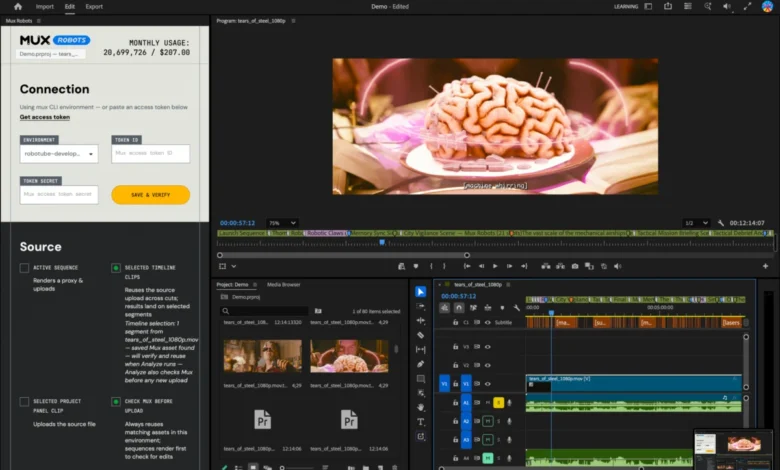
The intersection of artificial intelligence and professional video post-production reached a new milestone recently with the release of the Mux Robots plugin for Adobe Premiere Pro. Designed to eliminate hours of manual logging, trimming, and asset organization, the integration brings automated video intelligence workflows—such as key moment detection, chapter generation, and multi-language audio localization—directly into the industry-standard editing environment. The launch addresses a persistent workflow friction point for video editors, turning developer-facing JSON data structures into native timeline markers and downloadable assets with a single click.
Background Context and Event Origin
The catalyst for the Mux Robots Premiere Pro plugin dates back to late July, when the development team sponsored the livestream of the Laravel community dodgeball tournament at the Laracon conference in the United States. Following the event, the unedited livestream recording was handed over to the organization’s video editor, Tim, with the assignment to cut a comprehensive highlight reel.
To expedite the process, the team utilized the Mux Robots "Find Key Moments" workflow, a system designed to scan video files and automatically isolate the most compelling plays, competitive spikes, and engaging segments in each match. While the automated workflow successfully generated the required data, it exposed a technical disconnect common in modern media production: the output was delivered as a JSON file.
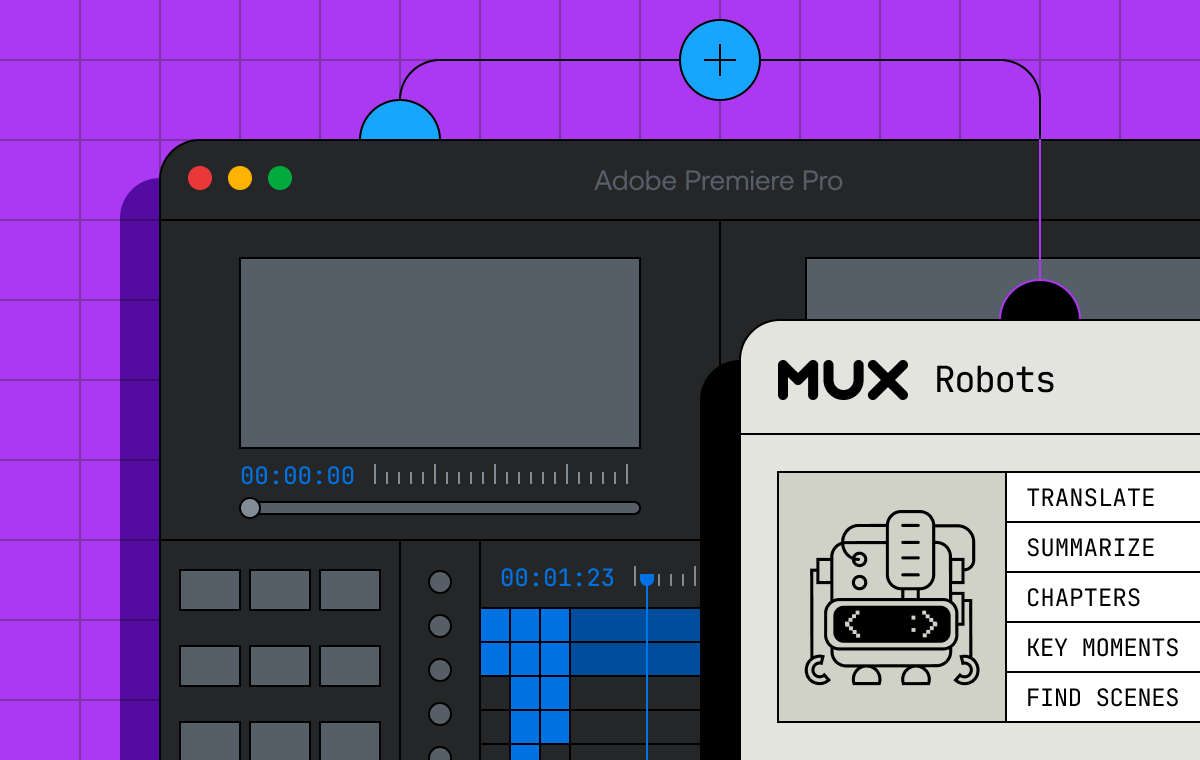
For developers and web applications, JSON is the gold standard. However, for a video editor working inside Adobe Premiere Pro, a raw JSON response containing timestamps and metadata does not automatically populate a timeline. The editor was still forced to manually scrub through the footage, referencing the JSON output to place markers by hand. Recognizing this friction as an industry-wide inefficiency, the engineering team set out to build a direct bridge between Mux’s video intelligence infrastructure and Adobe’s Creative Cloud developer ecosystem.
The Technical Challenge: Translating Data to the Timeline
In professional video editing, the timeline serves as the singular source of truth. Editors spend a significant portion of their daily routines monitoring timeline placement, trimming dead space, formatting captions, and ensuring that content is properly localized for global audiences.
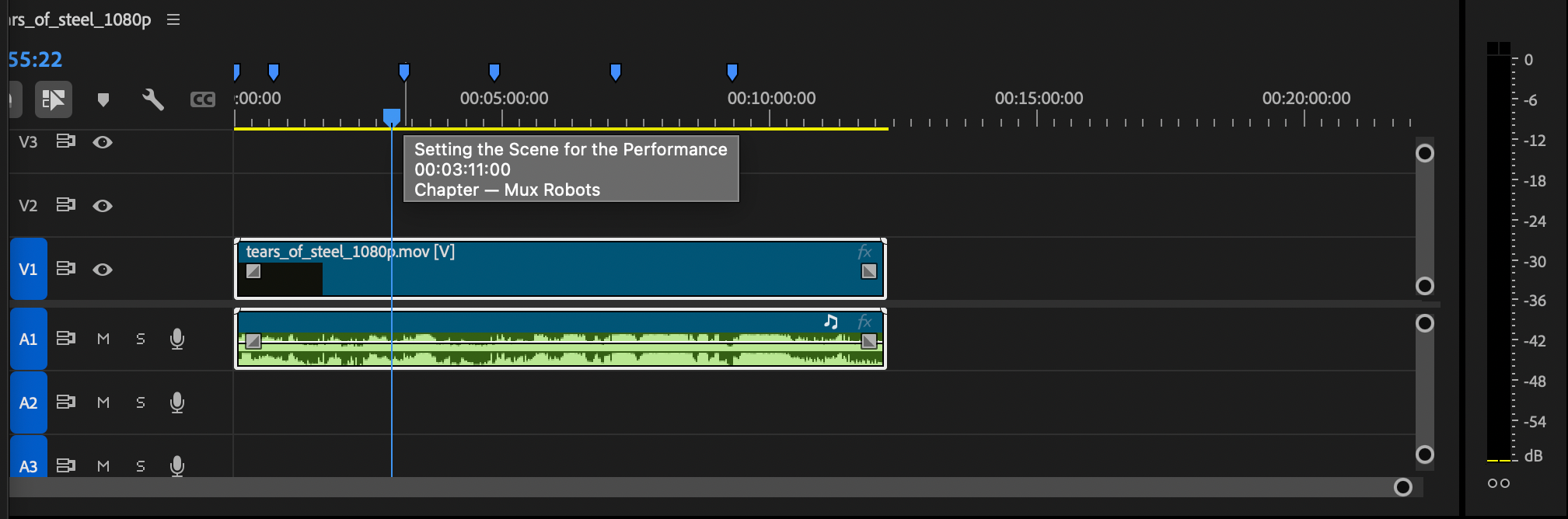
When utilizing standard Mux Robots workflows—such as "Generate Chapters"—the system analyzes the video’s semantic content and returns structured data including start times and corresponding titles. For example, a typical API response categorizes a video into distinct segments: an introduction to the software starting at timestamp zero, followed by technical deep-dives into scene detection at 61 seconds, algorithm features at 94 seconds, and customer success stories further down the runtime.
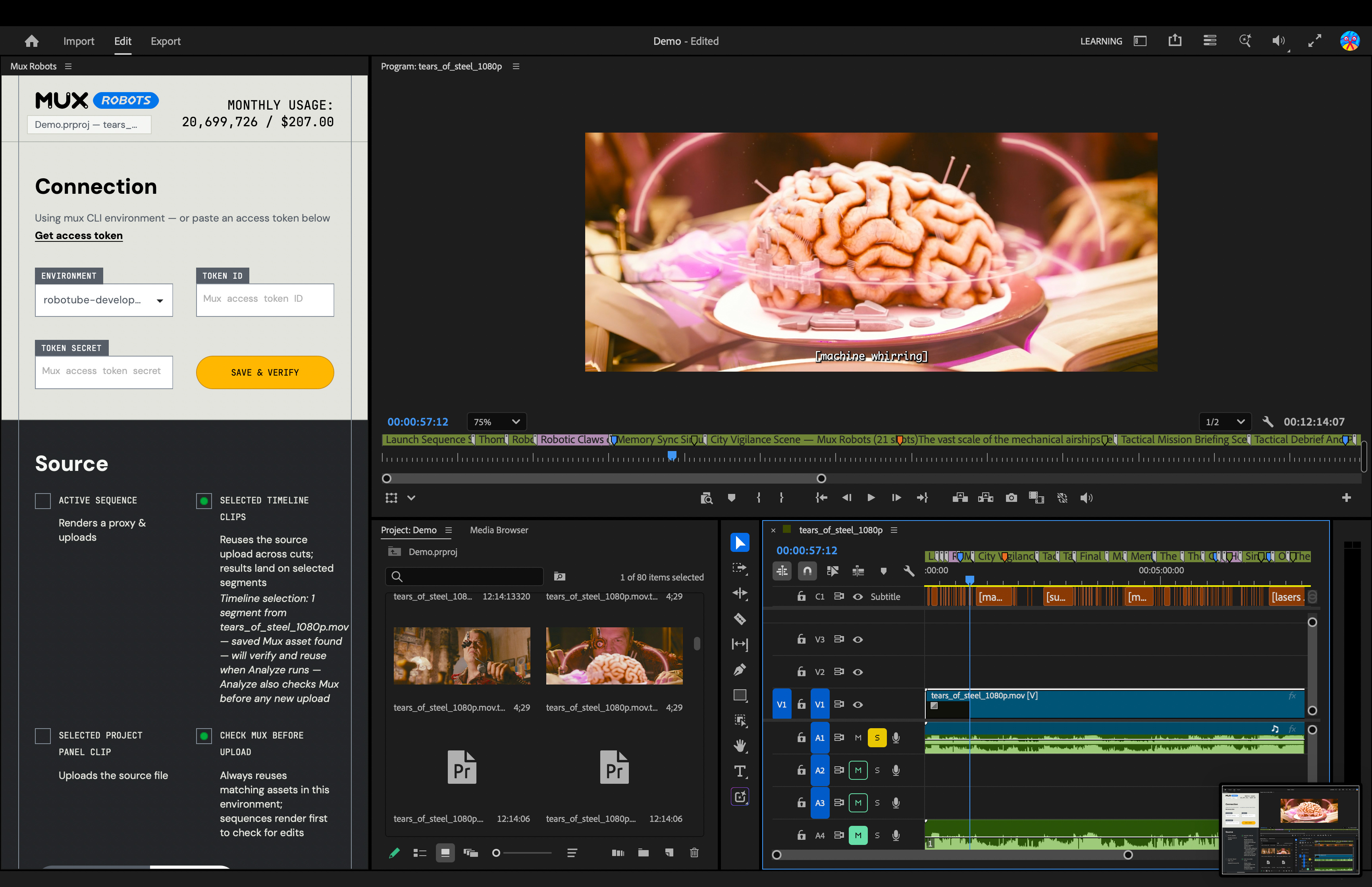
Before the plugin’s development, bridging this automated categorization to Adobe Premiere Pro required custom scripting or manual entry. The new plugin automates this translation entirely. When activated, chapter data is instantly rendered on the Premiere Pro timeline as distinct, color-coded markers—such as blue indicators for chapter breaks. Similarly, when running the "Find Key Moments" workflow, the plugin populates the timeline with purple markers. Hovering over any marker instantly reveals specific metadata and details derived from the underlying job output, allowing editors to navigate multi-hour recordings in seconds rather than hours.
Leveraging Directives for Sequenced Automation
A core feature of the Mux Robots integration is its native support for Directives, an architectural framework that allows users to bundle multiple AI-driven workflows into a single API call. In traditional editing environments, executing complex AI pipelines requires running separate tasks sequentially: generating a caption track first, using those captions to extract contextual chapters, and finally running algorithms to isolate key moments.
The Mux Robots plugin leverages Directives to chain these processes together seamlessly. By selecting "Generate Premium Captions," "Find Key Moments," and "Generate Chapters" within the plugin interface, the software executes a prioritized instruction set. The system generates the foundational caption track first, and subsequently builds the dependent chapter and highlight markers upon that linguistic baseline. This automated sequencing reduces what was previously a multi-step administrative chore into a single background process.
Global Localization and Audio Dubbing
Beyond timeline organization, the Mux Robots plugin addresses the growing demand for content localization. Reaching international audiences traditionally requires exporting video stems, outsourcing translation and voice acting, and manually re-importing localized assets back into the editing project—a process that introduces version control challenges and inflates production budgets.
The new plugin integrates automated audio dubbing and caption translation directly into the Creative Cloud extension. Editors can select their target languages from a broad array of options directly within the interface. Once processed, translated audio tracks are placed directly onto the Premiere Pro timeline, aligned with the source video. Translated caption tracks are simultaneously routed to Premiere Pro’s Media Browser, where editors can drag and drop them into the project as subtitle layers. This capability shifts localization from a post-production bottleneck to an on-the-fly utility, enabling creators to deploy multi-language assets instantly.
Deployment and Market Availability
The Mux Robots plugin for Adobe Premiere Pro is available now through the Adobe Creative Cloud Stock & Marketplace. Users can locate the extension by searching for "Mux Robots" within the Creative Cloud ecosystem or navigating directly through the Adobe Exchange portal.
Installation requires an active Adobe Premiere Pro environment alongside a valid Mux Token ID and secret key to authenticate and execute jobs through the Mux infrastructure. To lower the barrier to entry for independent creators and development teams alike, Mux has made the plugin available without a required credit card to get started, aligning with their developer-first onboarding philosophy.
Industry Implications and Broader Impact
The introduction of the Mux Robots Premiere Pro plugin highlights a broader trend within media technology: the convergence of automated artificial intelligence and human creative control. For years, AI tools in post-production have existed in siloes—either as web-based SaaS platforms detached from professional editing suites or as rudimentary auto-transcription tools built natively into NLEs (Non-Linear Editors) with limited extensibility.
By integrating developer-grade video intelligence workflows directly into professional desktop software, tools like the Mux Robots plugin redefine the division of labor in video production. Routine, time-consuming logging tasks are offloaded to machine intelligence, while human editors are empowered to focus entirely on narrative pacing, creative refinement, and artistic direction. As media organizations face mounting pressure to produce higher volumes of content across multiple platforms and languages, the adoption of integrated, API-driven editing plugins is expected to transition from a luxury to a standard operational necessity.
Related posts: